9 Best Bias Lighting For Tv in 2026
This post contains affiliate links. As an Amazon Associate, we earn from qualifying purchases.
For vivid, eye-friendly TV viewing, the Govee TV Backlight 3 Lite is our best overall pick thanks to its accurate color matching with fish-eye correction and easy gravitational hanging camera setup. For owners of larger screens, the Govee Envisual T2 Dual Camera is our top recommendation, while the Philips Hue Play Gradient Strip Pro delivers the most precise gradient effects for the biggest home theaters.
Watching TV in a completely dark room can cause eye strain and wash out the picture quality. The right bias lighting solves both problems by adding a soft glow behind the screen that improves perceived contrast and reduces fatigue. But not all lights work the same way, some use cameras to match on-screen colors, while others offer simple white light or plug-and-play HDMI sync.
This guide is based on a thorough review of manufacturer specifications, expert round-ups, and patterns in owner feedback. We’ve organized the nine best options by what matters most: screen size compatibility, color accuracy, ease of setup, and control options. Whether you need a simple white strip for a bedroom or a full-screen sync system for a gaming den, you’ll find the right fit here.
Top 9 Bias Lighting For TV in the Market
Certain content that appears on this site comes from Amazon. This content is provided "as is" and is subject to change or removal at any time.
The Best Bias Lighting For TV, Reviewed
Govee TV Backlight 3 Lite

What We Like
- Accurate color matching with fish-eye correction
- 4-in-1 lamp bead for vivid lighting
- Gravitational hanging camera for easy setup
- AI Generative Lighting for custom effects
Trade-offs
- Camera requires adhesive to prevent wobble
- Designed for 55-65 inch TVs only
By incorporating a dedicated warm white chip into the RGBICW array, the 4-in-1 lamp bead produces a noticeably purer white tone compared to standard RGB setups. This extra chip, combined with improved pixel density, ensures that lighting effects remain vivid and natural whether you are streaming a movie or playing a fast-paced game. The result is a more immersive viewing experience, as colors track on-screen action with greater accuracy and without the washed-out look that can plague lesser strips. Owners report that the enhanced color mixing makes dark scenes feel deeper and bright scenes more dynamic, adding a layer of realism to everyday entertainment.
The trade-off is that the camera, while simplified with a gravitational hanging design, still needs adhesive to stay steady on ultra-thin TVs, a small step that ensures wobble-free performance. Compared to the Govee Envisual T2 Dual Camera, which is designed for 75-85 inch TVs, this model is built for 55-65 inch screens, making it a better fit for medium-sized setups. If you want a smart, app-controlled backlight that can generate personalized lighting effects through AI conversations, this model delivers that capability.
Govee Envisual T2 Dual Camera

What We Like
- Dual cameras for accurate edge color matching
- 60 LEDs/m with double light beads
- DreamView connects multiple Govee lights
- Smart app with music and DIY modes
Trade-offs
- Only fits 75-85 inch TVs
- Needs hotspot or close router for calibration
- Avoid direct sunlight for proper function
The Govee Envisual T2 Dual Camera uses dual cameras to read colors along the edges of the display, providing more accurate color-matching than single-camera systems. With 60 LEDs per meter and double light beads, the strip delivers denser, more vivid lighting behind the screen. For owners of 75- to 85-inch TVs, this setup turns movie nights into a more immersive home theater experience, especially when you add DreamView to sync other Govee lights around the room.
The 16.4-foot strip is designed exclusively for 75- to 85-inch TVs, so smaller screens won’t get a proper fit. Calibration requires a strong Wi-Fi connection; Govee recommends using a mobile hotspot or moving closer to the router to load the calibration screen faster. The dual-camera system syncs with any on-screen content, but owners should expect a bit more setup effort compared to HDMI-based alternatives like the Philips Hue Play Gradient Strip Pro.
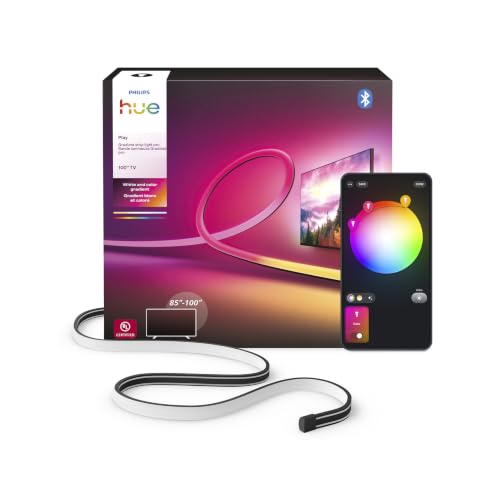
Philips Hue Play Gradient Strip Pro
What We Like
- Chromasync ensures precise color matching
- Deep dimming for atmospheric dark scenes
Trade-offs
- Requires separate Hue Bridge for full features
- Sync box or app sold separately for TV sync
- Only fits 90-100 inch TVs
Chromasync keeps colors consistent across multiple Hue lights, making this a top choice for anyone who wants precise, cinematic bias lighting that matches on-screen content beautifully. It’s best suited for larger setups where you want that immersive, gradient wall-washing effect without hot spots or uneven patches.
The main trade-off is that you’ll need a separate Hue Bridge to unlock full smart features. The HDMI Sync Box or Hue Sync app are also sold separately if you want the lighting to sync with your TV content. Compared to the Govee TV Backlight 3 Lite, which uses a camera-based system and works out of the box, the Philips Hue system offers more refined color accuracy and smoother gradients but demands a bigger upfront investment in accessories. For those with a 90-100 inch TV who prioritize precise, gradient lighting over simplicity, this strip delivers a premium experience.
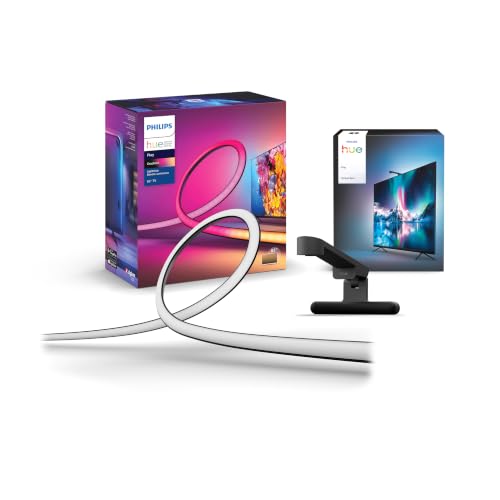
Philips Hue Play Screen Sync 65
What We Like
- Plug-and-play setup
- Fits firmly on screen
- Full screen color matching
- Syncs up to 10 lights
Trade-offs
- Bridge needed for full sync
- Requires separate Bridge for multi-light sync
A built-in gravity mechanism lets the screen sync attach firmly to your TV without any adhesive or hardware, so you can set it up in minutes and start enjoying immersive backlighting right away. This plug-and-play design is ideal for anyone who wants a hassle-free way to bring cinematic color to their entertainment space, especially if you already own other Hue lights or plan to expand later. The advanced algorithm analyzes on-screen colors to create a beautifully coordinated display, and the fisheye lens captures the entire screen for full syncing with live TV or streaming apps.
The main trade-off is that you need a separate Bridge to sync more than one light. This adds cost and complexity if you want the full room-filling effect. In contrast, the Govee TV Backlight 3 Lite uses a built-in camera and doesn’t require extra hardware. The Philips Hue Play Screen Sync 65 offers a more refined color matching experience but at a higher entry point for multi-light setups. This makes it a great choice for Hue enthusiasts or those planning a smart lighting ecosystem, but less ideal for budget-conscious buyers or those who just want simple bias lighting.
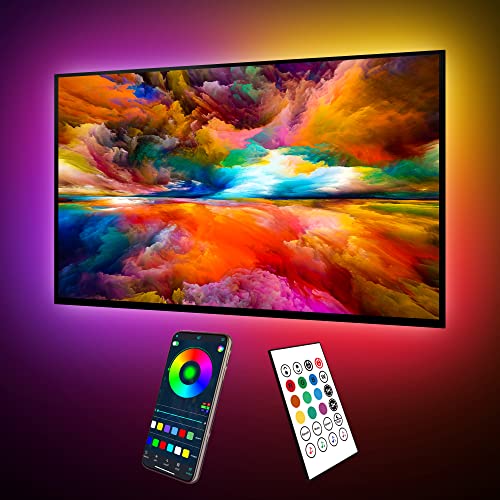
Maylit ICRGB TV LED Backlight
What We Like
- ICRGB shows multiple colors per line
- Music sync via built-in mic
- 18 ft length fits 75-85 inch TVs
- Memory function recalls last settings
Trade-offs
- No pure white color available
- Non-waterproof, indoor use only
- Requires USB port for power
The 18-foot strip is long enough to reach around most 75- to 85-inch TVs, so it can cover the back perimeter in a single roll. ICRGB technology lets different sections of the strip show different colors at the same time, which creates more dynamic effects than a basic RGB strip that changes color all at once. The built-in microphone syncs the lights to music or sound from the TV, and you can control everything with the included remote or an app. USB power means the strip turns on and off with the TV, and the memory function saves your last brightness and color setting so you don’t have to reset it each time.
The biggest limitation is that this backlight doesn’t produce a true white, so if you want pure bias lighting to reduce eye strain without adding color, it’s not the best fit. For vivid multi-color effects on a large TV, though, it works well right out of the box, no extra adapters or power brick needed. Just remember it’s not waterproof and not meant for outdoor use.
Product photos
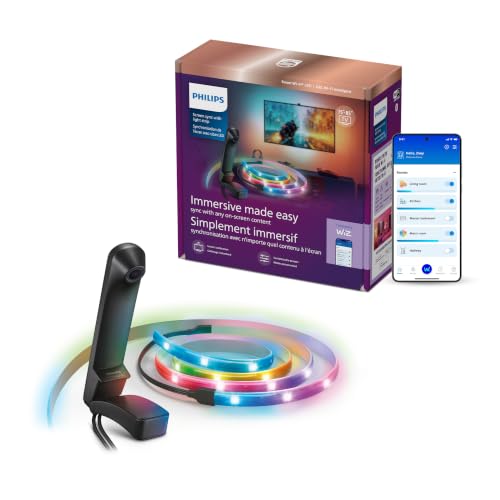
Philips Smart Lighting Screen Sync Strip
What We Like
- 360º RGBIC surround backlighting
- Syncs with on-screen content in real time
- Built-in microphone for music sync
- Expandable with WiZ lights
Trade-offs
- Sync device must sit on top of TV
- Requires manual screen mapping adjustment
The Philips Smart Lighting Screen Sync Strip uses a sync device that sits on top of your TV to map the screen edges and corners, then produces real-time lighting effects across all four sides. Its 360-degree RGBIC backlighting wraps color around the entire display, so the glow follows action from edge to edge. This setup works best for larger TVs in the 75- to 85-inch range, making it a natural fit for home theaters where you want the lighting to feel as big as the screen. The system also syncs with music through a built-in microphone and can be expanded with other Connected by WiZ lights around the room, so you can extend the atmosphere beyond the TV itself.
You may need to tweak the anchor points manually after the initial mapping. This setup is designed for TVs in the 75- to 85-inch range, making it a good match for larger screens. If you prefer a sync method that uses a device on top of the TV rather than a camera, this Philips strip offers an expandable solution for screen-matched lighting.
Product photos
HAMLITE USB TV Bias Lighting
What We Like
- Separate 6500K white LED beads
- Covers all 4 sides of TV
- Memory function keeps last setting
- W-shaped strip bends easily at corners
Trade-offs
- Requires 5V 1A USB port (check TV)
- Sync on/off works with most but not all TVs
- Adhesive needs dust-free surface for best hold
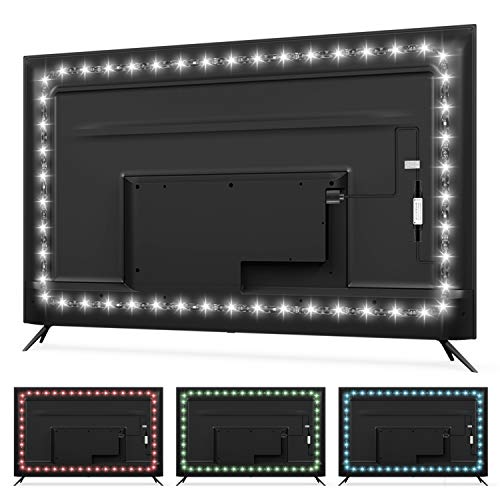
A dedicated 6500K true white LED strip with separate beads means this bias light delivers a clean, neutral glow that reduces the harsh contrast between a bright screen and a dark room. It wraps around all four sides of a 50-55 inch TV, so the light evenly frames the display rather than pooling at the bottom.
This strip relies on your TV’s USB port for power, and not every TV provides the required 5V 1A output. Also, the auto sync on/off feature works with most but not all TVs, so you might need to use the remote manually. The Govee TV Backlight 3 Lite offers RGBICW screen sync lighting with an upgraded camera, while this HAMLITE strip focuses on a steady, accurate white bias light. That’s a simpler approach for anyone who just wants to reduce eye strain without extra frills.
Product photos
Nexillumi RGB LED TV Backlight

What We Like
- 16.4ft strip fits 55-75 inch TVs
- Dual control via app and IR remote
- Easy corner wire installation without connectors
- 18-month warranty with support
Trade-offs
- No camera or screen sync technology
- No screen sync for immersive gaming or movies
A 16.4-foot LED strip that targets 55- to 75-inch TVs means you can wrap the back of a large screen with ambient color without splicing extra strips together. The corner wires allow bending and connecting the strip without connectors, so installation stays straightforward. This makes it a practical choice for someone who wants a simple backlight upgrade for a large TV and doesn’t need extra wiring.
The Nexillumi strip operates at 5V with a USB cable and an IR remote. So you plug it into a TV’s USB port and control the lights from the couch without any extra camera or sync box. That makes installation dead simple, but the colors won’t automatically match what’s on screen. For a steady ambient glow that you can dim or change via the ‘illumi home’ app, it works well.
Product photos
Philips HDMI Sync Box Kit
What We Like
- Real-time color matching via HDMI
- Supports 4K at 60Hz, HDR10+, Dolby Vision
- Expandable with all WiZ products
- Music sync with built-in microphone
Trade-offs
- Requires external video source, no smart TV app sync
- Not compatible with Philips Hue products
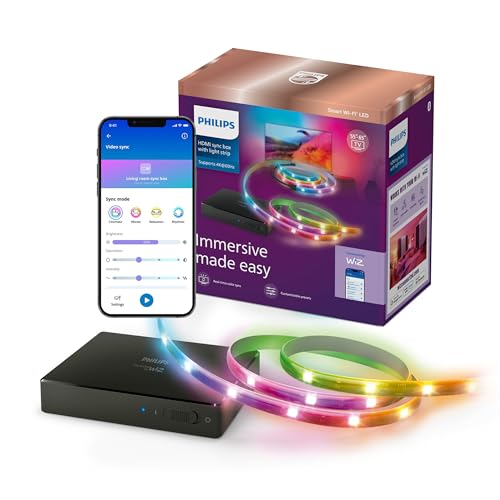
Capturing video directly from your HDMI source, this sync box delivers real-time color matching with low latency and support for 4K at 60Hz, HDR10+, and Dolby Vision. That direct connection means the lights follow exactly what’s on screen. It works well for anyone who already uses a streaming device or cable box and wants precise bias lighting that keeps up with fast action and rich HDR content.
Product photos
How We Evaluated Bias Lighting For TV
Our evaluation combines data from manufacturer spec sheets, expert round-ups from home theater and tech publications, and patterns found in thousands of owner reviews. We focused on what the research tells us about real-world performance and reliability.
We prioritized four criteria above all else. Screen size compatibility was first, a light strip or camera system designed for a 55-inch TV simply won’t work on an 85-inch screen. Color accuracy came next, with a focus on systems that use cameras or HDMI sync to match the TV’s output rather than generic color cycles.
Ease of setup mattered greatly, especially for non-technical users who want a simple adhesive strip or a camera that clips on without calibration headaches. Finally, we considered control options, including app support, voice assistants, and music sync modes.
A research-led approach has limits. We cannot verify long-term adhesive durability or the exact latency of HDMI sync systems, and owner experiences with calibration can vary by room lighting and TV model. However, by cross-referencing expert opinions with consistent owner feedback, we identified the products that reliably perform as described.
What To Look For In Bias Lighting For TV
Choosing the right bias lighting means matching the technology to your TV size, room setup, and how you watch content. Here’s what to consider before you buy.
Focus on screen size compatibility first, then decide whether you want simple white bias lighting or dynamic color sync. Camera-based systems offer the most accurate color matching but need proper placement, while HDMI sync delivers the lowest latency for gaming.
Screen Size Compatibility
The most common mistake is buying a strip that is too short or a camera system designed for a different TV size. Most products specify a range, such as 55-65 inches or 75-85 inches. A strip that is too long can be trimmed, but a camera system with the wrong field of view will not capture the screen edges accurately. Measure your TV diagonally and check the product’s stated range before purchasing.
Color Accuracy vs. Simple White Light
Bias lighting serves two main purposes: reducing eye strain and improving perceived picture quality. For the first, a true 6500K white light is ideal because it matches the white point used in video mastering. For the second, camera-based or HDMI sync systems that match on-screen colors can make the image feel larger and more immersive. Decide which benefit matters more to you, pure eye comfort or cinematic color effects.
Setup and Calibration
Some systems are truly plug-and-play: stick the strip to the back of the TV and plug it into a USB port. Others require a camera that sits on top or below the screen, a separate bridge or sync box, and manual calibration via an app. Camera-based systems may need a calibration pattern displayed on the TV and can be affected by bright room lighting. If you want a hassle-free experience, look for products that emphasize easy setup in their description.
Control and Smart Features
- App control allows you to adjust brightness, color, and modes without getting up.
- Voice assistant compatibility (Alexa, Google Assistant) adds convenience for changing scenes.
- Music sync via a built-in microphone can turn your TV backlight into a party light.
- Memory function saves your last setting so the light turns on the way you left it.
A simple rule: if you only watch TV in the dark and want less eye strain, a true white strip is all you need. If you game or watch movies and want the image to “bleed” onto the wall, invest in a camera or HDMI sync system.
Bias Lighting For TV Compared
The table below compares the nine bias lighting picks side by side, highlighting their best use cases, screen size compatibility, and key trade-offs.
| Product | TV Size | Technology | Control |
|---|---|---|---|
| Govee TV Backlight 3 Lite | 55-65 inches | RGBICW | Voice & APP |
| Govee Envisual T2 Dual Camera | 75-85 inches | RGBIC Double Beads | Smart App Control |
| Philips Hue Play Gradient Strip Pro | 90-100" | RGBWWIC | Alexa, Google Home, Apple Home |
| Philips Hue Play Screen Sync 65 | 65 inches | N/A | Bluetooth or Bridge |
| Maylit ICRGB TV LED Backlight | 75-85 inch | ICRGB | Remote + App |
| Philips Smart Lighting Screen Sync Strip | 75"-85" | RGBIC | Connected by WiZ |
| HAMLITE USB TV Bias Lighting | 50-55 inch | 6500K True White | RF remote |
| Nexillumi RGB LED TV Backlight | 55-75 Inch | RGB | App & IR Remote |
| Philips HDMI Sync Box Kit | 55-65 Inch | RGBIC | App/Voice Controls |
Frequently Asked Questions
Does bias lighting really reduce eye strain?
Yes, when set correctly. A soft, neutral white light behind the TV reduces the contrast between the bright screen and the dark wall, which lessens the strain on your eyes during long viewing sessions. For this purpose, a 6500K white strip is the most effective choice.
Can I use bias lighting on any TV size?
Most bias lighting products specify a range of TV sizes they fit. Strips can often be trimmed to length, but camera-based systems are designed for a specific diagonal measurement. Always check the product’s stated size range before buying to ensure proper coverage and function.
What is the difference between camera sync and HDMI sync?
Camera sync uses a small camera pointed at the TV screen to read colors and replicate them on the LED strip. HDMI sync connects directly to your video source and reads the signal for real-time color matching. HDMI sync is generally more accurate and has lower latency, but it requires an external device like a sync box and may not work with smart TV apps.
Do I need a separate hub or bridge for Philips Hue bias lighting?
Yes, for full features. The Philips Hue Play Gradient Strip Pro and other Hue lights require a Hue Bridge to enable advanced features like voice control, schedules, and syncing multiple lights. The Bridge is sold separately from the light strip.
Can bias lighting improve the picture quality of my TV?
Bias lighting does not change the TV’s display, but it can improve perceived contrast and make black levels appear deeper. By reducing the eye’s adaptation to a dark room, the image can look punchier and more vibrant. This effect is most noticeable in a completely dark room.
The Bottom Line
For most viewers with a 55- to 65-inch TV, the Govee TV Backlight 3 Lite offers the best balance of accurate color matching, easy camera setup, and smart features at a reasonable price. It is the clear choice for anyone who wants vivid, responsive bias lighting without the complexity of a separate hub or sync box.
If you own a larger TV, the Govee Envisual T2 Dual Camera is our pick for Best For Large TVs on 75- to 85-inch screens. The Philips Hue Play Gradient Strip Pro is unmatched for 90- to 100-inch home theaters. For those who simply want to reduce eye strain with a clean white light, the HAMLITE USB TV Bias Lighting delivers true 6500K color on all four sides of the screen.
The single most important factor is screen size compatibility. Buy a system designed for your TV’s diagonal measurement, and you will avoid the frustration of a strip that is too short or a camera that cannot see the edges. From there, choose the feature set, white light, color sync, or HDMI, that matches how you watch.
