10 Best Gaming Desk Accessories in 2026
This post contains affiliate links. As an Amazon Associate, we earn from qualifying purchases.
The Razer Base Station V3 Chroma Headset Stand earns the title of best overall because it combines a sturdy headset holder with dual USB ports and game-syncing RGB lighting. For streamers needing a complete mic kit, the TONOR Gaming Mic with Boom Arm offers a great all-in-one solution. And if your desk is short on outlets, the Anker Nano Power Strip Desk Clamp delivers fast charging without cable mess.
A gaming desk quickly becomes a tangle of cables, peripherals, and clutter that pulls focus from the game. The real challenge is finding accessories that solve a specific problem, whether that’s routing cables, adding a macro pad for complex shortcuts, or keeping your mouse pad dry during long sessions.
This guide is built from manufacturer specs, expert round-ups, and patterns in owner feedback. We’ve organized ten accessories by their primary strength so you can zero in on the exact fix your setup needs.
Top 10 Gaming Desk Accessories in the Market

Certain content that appears on this site comes from Amazon. This content is provided "as is" and is subject to change or removal at any time.
The Best Gaming Desk Accessories, Reviewed
Razer Base Station V3 Chroma Headset Stand
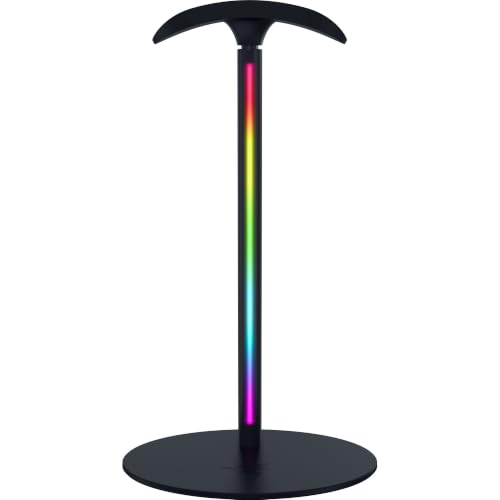
What We Like
- Auto headset detection triggers custom profiles
- Dual USB 3.1 ports reduce cable clutter
- 12-zone RGB syncs with 300+ games
- Anti-slip base keeps stand steady
Trade-offs
- Requires Synapse software for full features
- No built-in audio jack for wired headsets
The dual USB 3.1 ports with 5Gbps transfer speeds turn a simple headset stand into a desktop hub, letting you plug in a mouse, keyboard, or flash drive without reaching behind your tower. That alone makes it more than just a place to hang your cans. For gamers who love to sync their gear, the 12-zone Chroma RGB lighting works with over 300 games and 500 devices, so your whole setup can pulse together during a firefight.
The smart headset detection and lighting effects rely on Razer’s Synapse software on PC, so console gamers won’t get those automation perks. But if you’re building a PC-focused desk with extra USB ports and RGB sync, this stand delivers.
TONOR Gaming Mic with Boom Arm
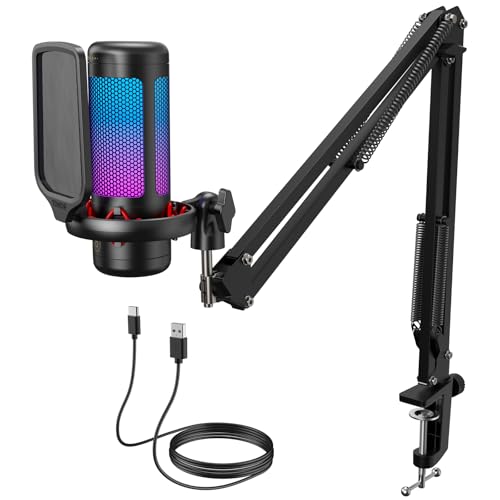
What We Like
- 4 RGB modes with brightness control
- Tap-to-mute for quick sound control
- All-in-one kit with metal boom arm
- High-fidelity sound from premium chips
Trade-offs
- Requires USB 2.0/3.0 port and full Type-C connection
- Boom arm clamp only fits desks under 2.36" thick
Four RGB lighting modes, 6 static colors, single-color gradient, breathing, and mix-color gradient, let you match your gaming setup’s mood with a single tap, and you can adjust the brightness to suit your preference. That vibrant glow is paired with a tap-to-mute function on the mic’s top, so you can instantly silence yourself when an unexpected noise pops up mid-stream. The included metal boom arm and sturdy clamp (fitting desks up to 2.36 inches thick) mean you get a complete kit right out of the box, no extra shopping needed. For gamers and content creators who want their microphone to double as desk decor, this is a fun, functional centerpiece.
This all-in-one kit pairs a USB microphone with a metal boom arm and a sturdy desk clamp that fits surfaces up to 2.36 inches thick. Multiple adjustable joints let you position the mic precisely around your monitor and keyboard setup. The microphone itself delivers clean, high-fidelity audio thanks to premium chips and expert tuning, ensuring your teammates hear you clearly during intense matches. Four RGB lighting modes, including static colors, single-color gradient, breathing, and mix-color gradient, let you match your setup’s vibe. A tap on the top mutes the mic instantly, while rotating the top adjusts gain for consistent volume. Reviewers find it a practical way to add both color and clarity to a gaming corner.
Anker Nano Power Strip Desk Clamp
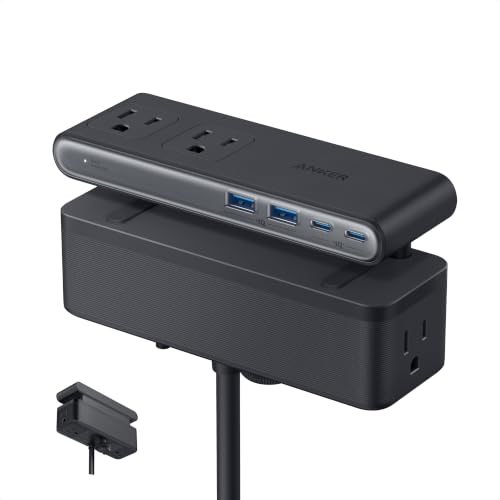
What We Like
- 70W USB-C fast charging for laptops
- Secure one-hand plug/unplug clamp
- Dual-zone layout reduces cable clutter
- Fits desk edges 0.6-1.8 in thick
Trade-offs
- Not compatible with curved or sloped edges
- Requires a desk edge for clamping
With a 70W USB-C port that uses GaN technology, this power strip can charge a laptop directly from the clamp, no bulky brick needed. That single feature makes it a space-saving hero for gamers and home-office workers who want fewer adapters on their desk. The dual-zone layout splits six AC outlets, two USB-C, and two USB-A ports into top and bottom sections, so you can plug in a monitor above and a phone charger below without a tangled mess. The adjustable clamp grips edges from 0.6 to 1.8 inches thick and stays steady during one-handed plugging, which is a small but real comfort when you’re reaching behind a monitor.
The trade-off is that the clamp only works on flat desk edges, curved or sloped surfaces are out, and you need an actual edge to attach it to. That rules out some glass desks or rounded tabletops. Its 5-foot cord is fine for a standard desk but might feel tight if your outlet is far away. For anyone who values a tidy, clutter-free charging station that stays put, this clamp-on strip delivers exactly what it promises.
Product photos
Corsair MM350 PRO Spill-Proof Mouse Pad
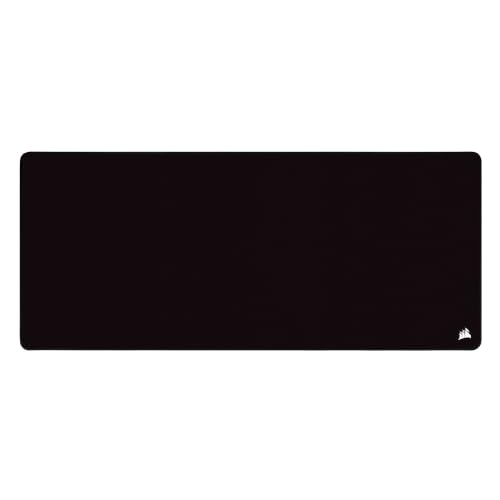
What We Like
- Spill-proof coating repels liquids
- Micro-weave fabric for smooth glide
- Massive size fits keyboard and mouse
- Anti-fray stitched edges prevent peeling
Trade-offs
- At 1.4 pounds, it's heavy for frequent transport
- Large size requires significant desk space
A spill-proof coating that lets liquids bead up and slide right off means you can keep sipping your drink during intense matches without worrying about ruining your mouse pad. The micro-weave fabric creates a dense, smooth surface for fast and precise mouse movements, while the 4mm plush rubber construction adds comfort for long gaming sessions. This extended XL size gives you a generous 36.6 by 15.7 inches of real estate, enough room for both your keyboard and mouse with space to spare. It’s a practical choice for anyone who wants a worry-free, easy-to-clean surface that doesn’t compromise on performance.
The Corsair MM350 PRO’s spill-proof coating makes it a practical choice for anyone who eats or drinks at their desk. Liquids slide right off the surface, so a quick wipe is all it takes to keep it clean. At 1.4 pounds and over three feet long, it’s not something you’ll want to move around frequently, but the anti-skid rubber base keeps it planted during intense gaming sessions. For gamers who want a durable, easy-to-clean surface that stays put, this pad delivers exactly what it promises.
VSDINSIDE VSD M18 Gaming Desk Accessorie

What We Like
- 18 customizable macro keys
- LCD keys show custom images and GIFs
- Adjustable RGB light ring
- Built-in plugins: clock, weather, stopwatch
Trade-offs
- No native Linux plug-and-play support
- SDK required for custom development
With 18 programmable keys, 15 of which are LCD screens that accept JPG, PNG, and GIF images and animations, this macro pad puts a world of shortcuts at your fingertips without cluttering your desk. You can assign single taps or multi-step sequences for game combos, streaming scene switches, or even launching apps and typing text. The outer RGB light ring offers adjustable visual lighting for dim setups, and built-in plugins like a clock, weather module, and stopwatch keep practical tools close at hand.
The 18 programmable keys, 15 with customizable LCD screens and three physical buttons, let you assign unique icons or animations to each command, so you never have to guess what a button does. Reviewers find this especially helpful when juggling shortcuts across OBS, Photoshop, and Excel, since the visual labels keep everything organized at a glance. It’s a practical upgrade for anyone who wants to streamline repetitive tasks in gaming, streaming, or daily office work.
KDD Headphone & Controller Stand with Wireless Charging
What We Like
- 360° rotatable headphone stand
- 9 lighting modes with memory
- Wireless charging plus 3 ports
Trade-offs
- Type-C port cannot charge iPhone
- Wireless charging only works with compatible devices
A 360° rotatable headphone stand lets you spin your headset out of the way or toward you with a flick of the wrist, keeping your desk clutter-free and your gear within reach. This stand also packs 9 lighting modes with memory, so your favorite glow stays on even after you power down. It suits gamers who want a single hub for both organization and charging. You can place your phone on the wireless pad, plug a controller into one of the two USB ports, and hang up to four controllers across the headset hook and controller hooks. The fire-proof hardened plastic casing adds peace of mind, especially if your desk gets a little messy.
One downside is that the Type-C port can’t charge an iPhone, so Apple users will need to rely on the USB ports or the wireless pad instead. Compared to the Razer Base Station V3 Chroma, which offers dual USB 3.1 ports with fast data transfer, the KDD focuses more on versatility with its controller hooks and lighting memory rather than raw transfer speeds. Its plastic build keeps it lightweight and safe, but if you prefer the heft of metal, the Razer might feel more substantial. Best for gamers who want a rotating, multi-device charging stand with customizable lights and a place for controllers. Not ideal for iPhone users who need a dedicated Type-C charging port.
Product photos
Logitech G Yeti Orb RGB Gaming Microphone

What We Like
- True plug-and-play USB setup
- Cardioid pattern rejects keyboard noise
- LIGHTSYNC RGB syncs with gameplay
- Full control via Logitech G HUB
Trade-offs
- Cardioid only, no multi-pattern options
- Requires G HUB software for RGB customization
A simple USB connection is all it takes to get clear, focused sound from the Yeti Orb, making it an easy way to upgrade your stream or chat audio. Its condenser capsule uses a cardioid pickup pattern that focuses on your voice while ignoring the clatter of mechanical keys and mouse clicks, so your teammates hear you clearly. The built-in LIGHTSYNC RGB adds a customizable glow that can react to in-game events, and the Logitech G HUB software lets you tweak lighting and audio settings alongside your other Logitech gear. For gamers who want clear sound without wrestling with XLR cables or audio interfaces, this mic delivers exactly that.
The Yeti Orb sticks to a single cardioid pattern, which means it won’t pick up multiple speakers around a table the way a multi-pattern mic would. If you often host co-op streams or record conversations with someone across the desk, you might find a boom-arm mic more flexible for positioning. But for a solo streamer or remote worker who just wants to plug in and sound great, the Yeti Orb’s straightforward design and software control make it a genuinely simple choice.
LOVJOYSE Under Desk Cable Management Tray

What We Like
- No-drill clamp protects desk surface
- Holds up to 15 lbs of cables
- Open mesh design reduces dust buildup
- Two large access holes for routing
Trade-offs
- Clamp requires desk edge up to 2 inches
- No built-in surge protection or outlets
A 15-pound weight capacity means this tray can easily hold a power strip, several adapters, and a tangle of cables without sagging. The no-drill clamp installs in seconds on any desk up to two inches thick, and the soft rubber pads keep your desktop scratch-free. This is the perfect solution for anyone renting or simply wanting to avoid drilling holes, especially in a gaming setup where cord management often gets overlooked.
The clamp design requires a clear desk edge up to 2 inches thick, which means it won’t work on desks with rounded or non-standard edges. Compared to the Anker Nano Power Strip Desk Clamp, which adds outlets and surge protection directly, this tray focuses purely on organization. If you already have a power strip and just need a clean way to stash cables, this is a straightforward, sturdy choice.
Product photos
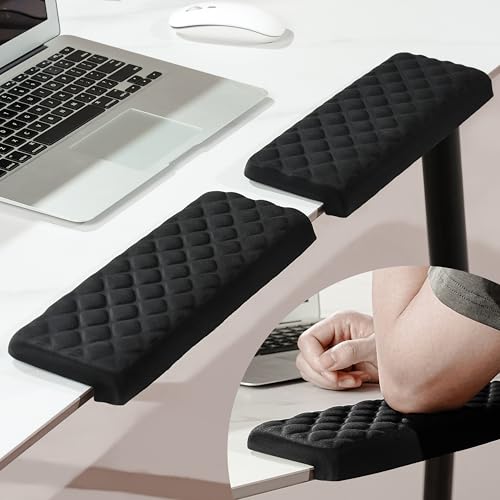
MEKASS L-Shaped Elbow Pad for Desk
What We Like
- L-shaped design wraps desk edge
- Memory foam with breathable Lycra
- Non-slip rubber base stays put
- Two-piece set for flexible positioning
Trade-offs
- No wrist rest for keyboard included
- Not adjustable in height
The L-shaped design wraps around the desk edge to provide arm and elbow support, reducing pressure from prolonged contact. The memory foam is slow-rebound, and the Lycra cover is smooth and stain-resistant, with a breathable textured surface to keep arms cool. Each pad measures 11.8 inches long, 4.3 inches wide, and 0.78 inches thick, and the two-piece set lets you adjust spacing for your keyboard and mouse setup. The rubberized base stays put during fast typing or gaming. This is a practical addition if you need elbow support and already have other ergonomic accessories.
The L-shaped design wraps around desk edges to support your arm and elbow, which can help reduce pressure and discomfort from prolonged contact. Each cushion measures 11.8 by 4.3 inches with a 0.78-inch thickness, so they fit most desk setups without taking up too much space. The memory foam and smooth Lycra fabric keep your arms comfortable, and the breathable textured surface helps prevent overheating during long sessions.
Product photos
Logitech G Litra Beam Premium Gaming Light

What We Like
- TrueSoft full-spectrum LED with cinematic color
- 3-way adjustable stand with 3 mount points
- Brightness and color temp from 2700K to 6500K
- Slim design fits tight desktop spaces
Trade-offs
- Requires USB or Bluetooth for app control
- Requires USB or Bluetooth connection for full preset customization
A 2700K–6500K color temperature range means you can dial in everything from warm, cozy amber for late-night streams to cool, daylight-balanced white for crisp video calls. That flexibility, paired with TrueSoft full-spectrum LED that delivers natural, radiant skin tones, makes this light a real asset for gamers and streamers who want to look professional on camera. The slim, elegant body slips into spots where bulkier lights can’t go. The three-way adjustable stand with three mount points lets you position it at just the right angle, no more harsh shadows or awkward glare.
You’ll need a USB or Bluetooth connection to unlock the full preset customization via G HUB, which adds a layer of setup compared to simpler plug-and-play lights. It’s also a dedicated desktop light, not a multi-purpose stand like the Razer Base Station V3 Chroma, so if you’re after a combo headset holder and USB hub, that’s a different tool. But for anyone focused on nailing their on-camera lighting with precise control, the Litra Beam delivers exactly that, without taking over your desk.
Product photos
How We Evaluated Gaming Desk Accessories
Our research started with product specifications and manufacturer documentation to confirm dimensions, materials, and compatibility. We then reviewed expert round-ups from home-office and gaming-focus publications to see which accessories consistently solved real desk problems. Finally, we analyzed patterns in owner feedback, both positive and negative, to understand what holds up over time and what frustrates users.
Four criteria mattered most for this category. Functionality came first: does the accessory solve a genuine desk problem, or does it just add visual noise? Build quality followed, because gaming accessories see constant use and need materials that won’t fail. Compatibility was critical. A clamp that doesn’t fit your desk or a mic that requires a specific port is a non-starter. Value weighed whether the price matched the feature set and durability.
The limitation of a spec-based evaluation is that it doesn’t account for long-term use on an actual desk. Recommendations are based on what the specifications promise and what owners consistently report. We prioritize accessories with clear, verifiable specifications and a track record of solving the specific problems they claim to solve.
What To Look For In Gaming Desk Accessories
Before you buy, match the accessory to the actual problem on your desk. A macro pad won’t fix cable clutter, and a power strip clamp won’t help with headphone storage. Start with your biggest annoyance and work from there.
Focus on the specific desk problem you want to solve, cable clutter, limited ports, headphone storage, or lighting, and choose an accessory that directly addresses it. Check desk thickness, edge shape, and USB port requirements before buying.
Desk Compatibility
The most common frustration we saw in owner feedback was an accessory that didn’t fit the desk. Clamp-on items like the Anker Nano Power Strip and the TONOR boom arm have strict thickness limits, typically 0.6 to 2.36 inches. If your desk has a curved, sloped, or rounded edge, many clamps won’t grip securely. Measure your desk edge before ordering any clamp-based accessory.
Connectivity and Ports
USB ports and charging capabilities vary widely. Some accessories like the Razer Base Station include USB 3.1 ports for data transfer, while others like the KDD stand offer wireless charging only. If you need to charge an iPhone, check whether the accessory supports that standard. The Logitech G Yeti Orb is true plug-and-play, while the Razer stand requires Synapse software for its smart features.
Lighting and Customization
RGB lighting is a major feature for many gamers, but not all implementations are equal. The Razer Base Station syncs with over 300 games, while the TONOR mic offers four RGB modes with brightness control. The VSDINSIDE macro pad goes a step further with LCD keys that display custom images and GIFs. Decide whether you want ambient lighting, game-synced effects, or functional visual feedback.
- Measure your desk edge thickness and shape before buying any clamp accessory
- Confirm USB port type and charging compatibility with your devices
- Check whether software is required for full features (RGB, macros, profiles)
- Consider the weight and size of larger items like the Corsair MM350 PRO pad
- Look for memory functions in lighting and charging stands to avoid resetting settings
The best gaming desk accessory is the one that solves your specific problem without creating a new one.
Gaming Desk Accessories Compared
The table below compares all ten gaming desk accessories side by side, highlighting their primary function, key specs, and best-use scenarios so you can quickly find the right fit for your setup.
| Product | Dimensions | Weight | Lighting |
|---|---|---|---|
| Razer Base Station V3 Chroma Headset Stand | 7.9 x 8.7 x 6.3 in | 0.7 lb | 12-zone Chroma RGB |
| TONOR Gaming Mic with Boom Arm | 16.0 x 6.0 x 5.4 in | 1.0 lb | 4 modes, 6 static colors |
| Anker Nano Power Strip Desk Clamp | 6.0 x 2.1 x 0.1 in | 1.5 lb | N/A |
| Corsair MM350 PRO Spill-Proof Mouse Pad | 36.6" x 15.7" | 1.4 lb | N/A |
| VSDINSIDE VSD M18 Gaming Desk Accessorie | 4.6 x 4.1 x 0.8 inches | 0.7 pounds | RGB |
| KDD Headphone & Controller Stand with Wireless Charging | N/A | N/A | 9 modes |
| Logitech G Yeti Orb RGB Gaming Microphone | 4.5 x 4.5 x 7.7 inches | 0.5 pounds | LIGHTSYNC RGB |
| LOVJOYSE Under Desk Cable Management Tray | 25.3 inches | N/A | N/A |
| MEKASS L-Shaped Elbow Pad for Desk | 11.8 x 4.3 x 0.78 in | 0.9 lbs | N/A |
| Logitech G Litra Beam Premium Gaming Light | 10.0 x 1.0 x 10.0 inches | N/A | N/A |
Frequently Asked Questions
What is the best gaming desk accessory for cable management?
The LOVJOYSE Under Desk Cable Management Tray is the top choice for hiding cables without drilling. Its no-drill clamp protects the desk surface, holds up to 15 pounds of cables, and the open mesh design reduces dust buildup.
Do I need a macro pad for gaming?
A macro pad like the VSDINSIDE VSD M18 is helpful if you play games or use software with complex shortcut combinations. Its 18 customizable keys with LCD screens can display images and GIFs, making it easier to remember commands without looking at your keyboard.
Can I use a gaming microphone for work calls?
Yes, the Logitech G Yeti Orb and the TONOR Gaming Mic both work well for remote work. The Logitech G Yeti Orb is particularly convenient for solo users because it is true plug-and-play and its cardioid pattern rejects keyboard noise during calls.
What should I look for in a headphone stand?
Consider whether you need extra features like USB ports, RGB lighting, or wireless charging. The Razer Base Station V3 Chroma offers dual USB 3.1 ports and game-syncing RGB, while the KDD stand adds 360-degree rotation and wireless charging for multiple devices.
Is a spill-proof mouse pad worth it?
If you eat or drink at your desk, the Corsair MM350 PRO Spill-Proof Mouse Pad is a practical investment. Its spill-proof coating repels liquids, and the micro-weave fabric provides a smooth glide for your mouse. The large size also accommodates both a keyboard and mouse.
The Bottom Line
The Razer Base Station V3 Chroma Headset Stand is the best overall pick for PC gamers who want a clean, functional headset holder with USB ports and game-synced RGB. If your biggest problem is cable clutter and limited outlets, the Anker Nano Power Strip Desk Clamp is a smart, space-saving solution that charges a laptop at 70W without taking up desk space.
For streamers or remote workers on a budget, the TONOR Gaming Mic with Boom Arm delivers a complete kit with customizable lighting and tap-to-mute convenience. And if you just need a simple, plug-and-play microphone that sounds great out of the box, the Logitech G Yeti Orb is the straightforward choice.
The single most important factor when buying any gaming desk accessory is desk compatibility, measure your edge thickness and shape before you buy, and you’ll avoid the most common source of frustration.
