10 Best Desks For Dual Monitors in 2026
This post contains affiliate links. As an Amazon Associate, we earn from qualifying purchases.
The Grandder 55×32 Extra-Deep Electric Standing Desk is the best overall choice for dual monitors because its 31.5-inch depth provides the proper viewing distance for two screens without crowding. For those who need more surface area, the VIVO Electric Standing Desk 71×30 offers the largest workspace, while the Veken 63×28 Electric Standing Desk delivers solid standing desk features at a more accessible price point.
Setting up two monitors on a standard 24-inch deep desk often forces screens too close to your face, leading to eye strain and neck discomfort. Finding a desk with enough depth, width, and stability to support two monitors comfortably is the real challenge.
We evaluated these desks by analyzing specifications, manufacturer documentation, expert recommendations, and patterns in owner feedback. This guide focuses on the dimensions, stability, and adjustability features that matter most for dual-monitor users, helping you choose with confidence.
Top 10 Desks For Dual Monitors in the Market
Certain content that appears on this site comes from Amazon. This content is provided "as is" and is subject to change or removal at any time.
The Best Desks For Dual Monitors, Reviewed
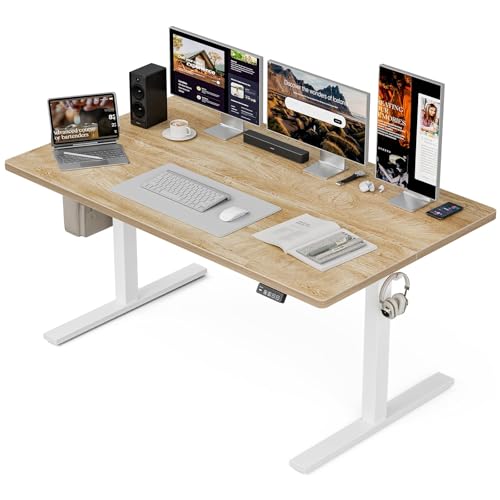
Grandder 55×32 Extra-Deep Electric Standing Desk
What We Like
- 31.5-inch depth for ergonomic monitor placement
- 176 lbs capacity with stable steel frame
- Anti-collision safety technology
- Quiet operation under 45 dB
Trade-offs
- Only 2 memory presets, fewer than some competitors
- 55-inch width limits placement in small rooms
A 31.5-inch deep desktop is the single most important spec for anyone setting up dual monitors, and this desk delivers it without compromise. That extra 4 inches over a standard 28-inch deep desk means you can place a 49-inch ultrawide at the correct 22-to-24-inch viewing distance while keeping your keyboard and mouse comfortably in front of you. For programmers, creative pros, or anyone who spends long hours at a desk, this is the kind of thoughtful design that makes a real difference in daily comfort.
The trade-off is memory presets: you get two, not the four or more found on some competitors like the FLEXISPOT EN1 or Vari models. That’s fine if you mostly switch between sitting and one standing height, but power users who like multiple positions might find it limiting. For the core job of supporting a dual-monitor setup with the depth that lets you work ergonomically, this desk covers the essentials.
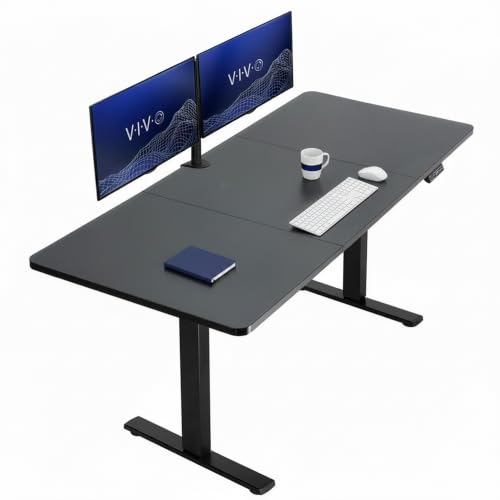
VIVO Electric Standing Desk 71×30
What We Like
- Spacious 71" x 29.5" desktop
- 220 lbs weight capacity
- 4 memory presets
- All-steel frame construction
Trade-offs
- Particle board top is less durable than solid wood
- At 57 pounds, it's heavy to move
A 71-inch-wide by 29.5-inch-deep desktop gives you room to spread out two monitors, a laptop, and still have space for a notebook and coffee mug. That extra depth is what makes this desk a standout for anyone who needs a truly large work surface. With a 220-pound weight capacity and all-steel frame, it can handle heavy monitor arms and multiple screens without wobble. The single motor lifts smoothly from 29.2 to 48.4 inches, and four memory presets let you switch between sitting and standing heights with one button.
The particle board top is scratch-resistant, which helps it hold up to daily use. At 57 pounds, this desk is heavy enough to feel solid once assembled. For anyone needing a large, stable surface for a dual-monitor setup, the size and build make it a practical fit.
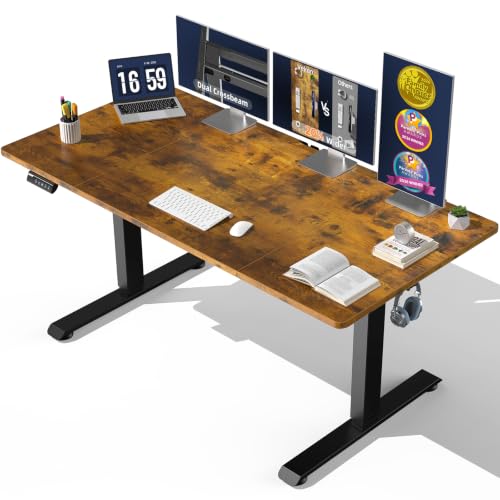
Veken 63×28 Electric Standing Desk
What We Like
- 63×28 inch workspace for dual monitors
- Quiet motor under 52 decibels
- Memory preset for preferred heights
- Low-emission engineered wood desktop
Trade-offs
- Desktop is joined pieces, not one whole
- Assembly required due to joined desktop pieces
A 63-inch-wide desktop fits two monitors and your daily gear without feeling cramped, so you can keep everything within easy reach. The motor lifts the surface from 28.3 to 46.5 inches at a noise level under 52 decibels, quiet enough for a shared home office. One touch on the memory preset switches between sitting and standing, making it simple to reduce sedentary time.
The desktop arrives as joined pieces rather than a single slab, which some buyers say looks less uniform. At 42.1 pounds, the frame is lighter than the VIVO Electric Standing Desk (57 pounds). The dual-beam frame is designed to keep the desk steady during height adjustments.
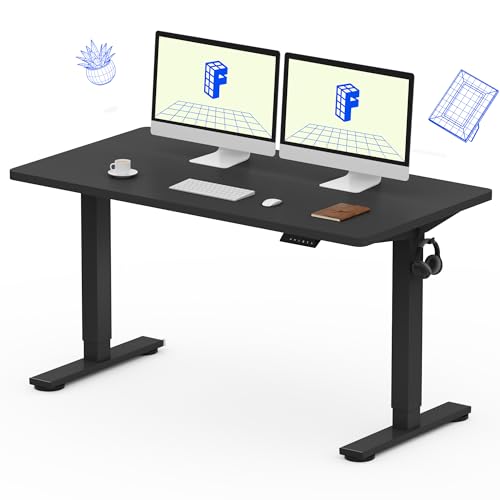
FLEXISPOT EN1 One-Piece Standing Desk
What We Like
- 28-inch depth for dual monitors
- 4 memory presets for height
- Sag-resistant, dense desktop
Trade-offs
- 176 lb capacity limits very heavy setups
- No built-in cable management for messy wires
A 28-inch deep desktop gives you the extra front-to-back space that typical 24-inch desks can’t offer, so dual monitors sit comfortably without crowding your keyboard or mouse. The one-piece surface has no split line to distract you during writing or design work, and the dense, sag-resistant build is suited for drawing tablets, dual screens, or heavy equipment throughout the workday. This desk suits professionals who want a clean, uninterrupted workspace and the flexibility to sit or stand with smooth electric adjustment and four memory presets.
The trade-off is a 176-pound weight capacity that may feel limiting if you plan to load it with multiple heavy monitors and a large PC tower. For most dual-monitor users who value a clean surface and solid build, this is a focused, practical choice.
OffiGo 55 U Shaped Electric Standing Desk

What We Like
- U-shaped design with dual corner workspace
- Full-size monitor stand holds two screens
- LED light strip with 10 colors and 10 modes
- Keyboard tray and two storage hooks included
Trade-offs
- 154 lb capacity is lower than some competitors
- At 52.9 lb, it's heavy to move alone
- No anti-collision feature mentioned
A full-size monitor stand that easily accommodates two screens is the standout feature here, saving valuable desktop space while keeping your monitors at a comfortable viewing height. The U-shaped layout with dual corners leaves plenty of room for papers, a laptop, and other essentials without feeling cramped. This desk suits someone who wants a complete workstation with built-in extras like a keyboard tray, LED lighting with 10 colors and dynamic modes, and convenient power access via three outlets and two USB ports right on the frame.
The OffiGo’s 154-pound capacity is lower than the Grandder 55×32 Extra-Deep Electric Standing Desk’s 176-pound limit, so if you plan to load up with heavy equipment or multiple large monitors, that extra capacity might matter. At 52.9 pounds, the desk is substantial enough that setting it up solo takes some effort. For someone who prioritizes the U-shaped design and integrated monitor stand over maximum weight capacity, this desk delivers a tidy, feature-rich package.
Product photos
FLEXISPOT E6 Dual Motor Standing Desk

What We Like
- 3-stage lift for wider height range
- Quiet dual motors under 50 dB
- Spacious 55-inch desktop for dual monitors
- 5-year warranty on frame and motor
Trade-offs
- 55 lb weight makes it less portable
- No extra depth for ultrawide monitors
The FLEXISPOT E6 supports up to 220 pounds, so you can load it with two monitors and a laptop without worrying about capacity. Its dual motors run quieter than 50 dB, which means they won’t disturb a phone call or a video meeting. The 3-stage lift system provides a 30% wider height range than 2-stage designs, making it easy for a short person or a tall one to find a comfortable sitting or standing height.
At 55 pounds, this desk is noticeably heavier than the Veken 63×28 model, which weighs 42 pounds. That extra weight can make it more of a challenge to carry up stairs or reposition once assembled. For a permanent home office setup where you don’t plan to move the desk often, the added heft contributes to a stable feel that owners appreciate.
PRAISUN 80×24 Computer Desk with Power Outlets
What We Like
- Reversible charging station with USB-C
- Reinforcement struts for added stability
Trade-offs
- Fixed height at 29.5 inches
- Particleboard top less durable than solid wood
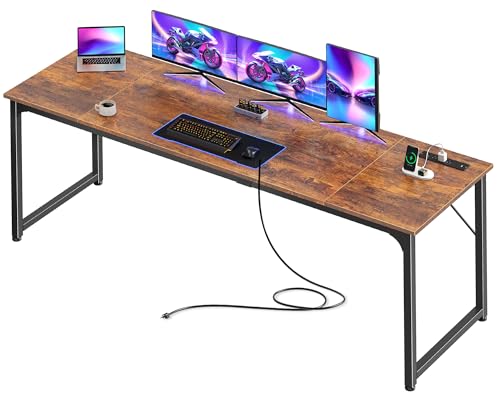
The trade-off is a fixed 29.5-inch height, which works well for most standard chairs but won’t suit those who prefer to stand while working. Compared to the VIVO Electric Standing Desk 71×30, you lose height adjustability but gain a longer surface and integrated power ports that keep cables tidy. If you value a generous, clutter-free desktop and don’t need to alternate between sitting and standing, this is a practical choice.
Product photos
PRAISUN 70×24 Computer Desk with Power Outlets
What We Like
- Extra-large 70×24 inch desktop
- Built-in 4 AC outlets and USB-C
- Reversible power hub placement
- Reinforced steel frame with crossbars
Trade-offs
- Fixed height at 29.5 inches
- No height adjustability for sitting or standing
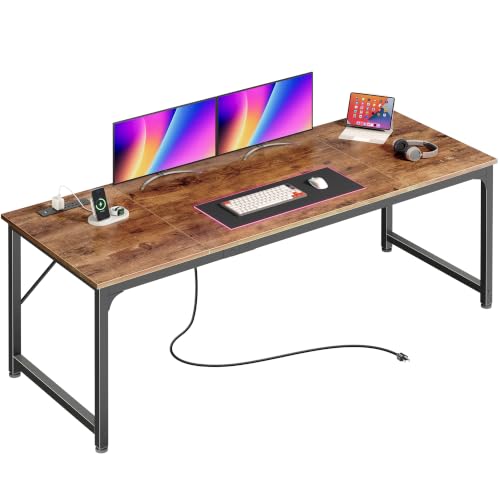
A 70-inch-wide desktop offers enough space for two monitors, a laptop, and paperwork without feeling cramped. That spacious surface, paired with a built-in charging station that includes four AC outlets plus USB and USB-C ports, means you can plug in your computer, phone, speakers, and monitor all at once without hunting for wall sockets. It’s a practical choice for anyone who needs a large, stable work surface and wants to keep cables tidy, especially if you’re setting up a home office where multiple devices live.
At 29.5 inches tall, this desk is built for seated use only, so if you need to stand while working, you’ll want an electric model like the VIVO Electric Standing Desk 71×30 instead. For anyone who always works sitting down and wants a large desktop with built-in power, this fixed-height design keeps things simple and sturdy.
Product photos
Vari ComfortEdge Electric Standing Desk 60×30

What We Like
- Sloped ComfortEdge reduces wrist pressure
- Dual motors for smooth height adjustment
- Four memory presets for quick switching
- Scratch-resistant laminate top
Trade-offs
- At 122 lb, it's heavy to move
- 200 lb capacity limits heavy monitor setups
Dual motors provide smooth height adjustment from 25 to 50.5 inches, accommodating both seated and standing work. Four memory presets allow you to save preferred positions and switch between them instantly, without needing to hold the control panel. This range covers typical desk heights for users of different statures, so it works well for shared workspaces or alternating between tasks. The electric lift system handles the transition quietly and efficiently, making it easy to change posture throughout the day. Owners report that the preset feature is especially convenient when multiple people use the same desk, as each can store their own ideal height.
Its 200-pound capacity is solid for most setups. But if you plan to add a heavy monitor arm or multiple large screens, the Grandder 55×32 Extra-Deep Electric Standing Desk offers a wider and deeper desktop with a 176 lb capacity.
Product photos
Vari Ergo Electric Standing Desk 54×26
What We Like
- Ergonomic curved front edge
- 4 programmable memory presets
- Built-in cable management grommets
- No-tool 2-step assembly
Trade-offs
- At 104.1 lb, it is heavy to move
- 26-inch depth is shallower than some dual-monitor desks
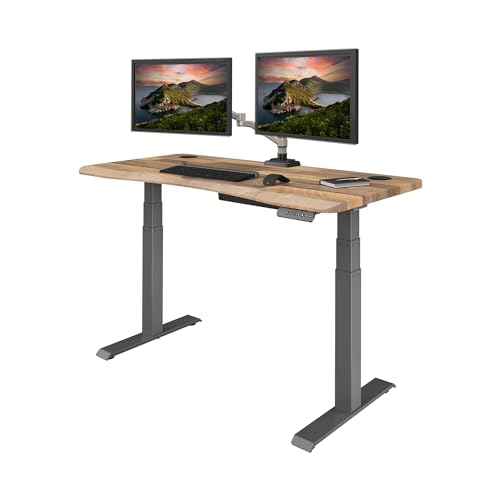
A 200-pound weight capacity and a 54-inch wide surface give you room for two monitors plus accessories without worrying about stability. The ergonomic curved front edge supports better posture and reduces strain on forearms during long work sessions. This desk is ideal for all-day comfort while working, gaming, or creating, and it switches from sitting to standing quietly with four memory presets.
At 26 inches deep, this desk is shallower than the Grandder 55×32 Extra-Deep Electric Standing Desk, which offers 31.5 inches of depth. That extra front-to-back space can be useful if you’re mounting a monitor on an arm that needs more reach. But for most setups with dual monitors, the Vari’s 54-inch width provides plenty of room for screens and accessories. Its ergonomic curved front edge and sturdy build make it a practical choice that puts comfort first.
Product photos
How We Evaluated Desks For Dual Monitors
Our research began by examining the specifications of dozens of desks designed for multiple monitors. We focused on manufacturer-provided dimensions, weight capacities, and construction materials to understand how each desk handles the demands of a dual-screen setup.
We then reviewed expert round-ups from home office and ergonomics specialists to identify the key criteria that make a desk suitable for two monitors. Owner feedback patterns helped us understand real-world stability, assembly ease, and durability over time.
The three criteria that mattered most were desktop depth (to ensure proper viewing distance), weight capacity (to support heavy monitors and arms), and height adjustability (for ergonomic sitting and standing use).
What To Look For In Desks For Dual Monitors
Choosing the right desk for dual monitors starts with understanding your screen sizes, your work habits, and the space you have available.
Look for a desktop at least 55 inches wide and 28 inches deep to comfortably fit two monitors with room for peripherals. Prioritize weight capacity if you use monitor arms or heavy screens.
Depth and Width
The most critical dimension for dual monitors is desktop depth. Standard desks at 24 inches deep force monitors too close, causing eye strain. Look for at least 28 inches of depth, with 30 inches or more being ideal for ultrawide or large monitors. Width should be a minimum of 55 inches to accommodate two screens side by side without crowding your keyboard and mouse.
Stability and Weight Capacity
Two monitors, especially with monitor arms, add significant weight. A desk with a weight capacity that provides a comfortable margin for screens, a computer, and accessories is recommended. Stability is equally important for standing desks, where wobble at standing height can be distracting. Steel frames and crossbars are good indicators of a stable build.
Height Adjustability
Standing desks allow you to alternate between sitting and standing, which is beneficial for long work sessions. Look for a motorized desk with memory presets so you can save your preferred sitting and standing heights. Dual-motor systems generally offer smoother and quieter adjustment than single-motor models.
- Measure your monitor width and add 10 inches for each screen to find the minimum desktop width you need.
- Check the desk’s weight capacity against the combined weight of your monitors, monitor arms, computer, and accessories.
- If you use monitor arms, confirm the desk’s thickness and material can support the clamp or grommet mount.
- For standing desks, look for a height range that accommodates your seated and standing ergonomic needs.
- Consider cable management features like grommets, trays, or built-in channels to keep wires organized.
A good rule of thumb is that your monitor should be an arm’s length away from your eyes, which means a 30-inch deep desk is ideal for most users.
Desks For Dual Monitors Compared
The table below compares the key specifications of our top picks to help you find the right fit for your dual-monitor setup.
| Product | Desktop Size | Height Range | Weight Capacity |
|---|---|---|---|
| Grandder 55×32 Extra-Deep Electric Standing Desk | 55.1" x 31.5" | 28" to 45.6" | 176 lbs |
| VIVO Electric Standing Desk 71×30 | 70.9" x 29.5" | 29.2" to 48.4" | 220 lbs |
| Veken 63×28 Electric Standing Desk | 63" x 28" | 28.3" to 46.5" | N/A |
| FLEXISPOT EN1 One-Piece Standing Desk | 55" x 28" | 28.1" to 45.7" | 176 lbs |
| OffiGo 55 U Shaped Electric Standing Desk | 55.1" x 29.1" | 28.3" to 46.5" | 154 lb |
| FLEXISPOT E6 Dual Motor Standing Desk | 55.1" x 27.5" | 23.6" to 48.8" | 220 lbs |
| PRAISUN 80×24 Computer Desk with Power Outlets | 80" x 24" | N/A | N/A |
| PRAISUN 70×24 Computer Desk with Power Outlets | 70" x 24" | N/A | N/A |
| Vari ComfortEdge Electric Standing Desk 60×30 | 60" x 30" | 25" to 50.5" | 200 lb |
| Vari Ergo Electric Standing Desk 54×26 | 54" x 26" | 25" to 50.5" | 200 lbs |
Frequently Asked Questions
What size desk do I need for two monitors?
You need a desk that is at least 55 inches wide and 28 inches deep. This provides enough space to place two monitors side by side with room for your keyboard, mouse, and other peripherals. If you use monitor arms or have larger screens, consider a 60-inch wide and 30-inch deep surface.
Is a standing desk better for dual monitors?
A standing desk can be beneficial for dual-monitor users because it allows you to adjust the height of both screens together, maintaining proper ergonomics whether sitting or standing. Look for a model with memory presets so you can quickly switch between your preferred heights.
Can I use a regular desk for two monitors?
Yes, but you need to ensure the desk is deep enough. Most standard desks are only 24 inches deep, which places monitors too close to your eyes. A desk with at least 28 inches of depth is recommended for comfortable dual-monitor use.
What is the best desk shape for dual monitors?
A rectangular desk is the most straightforward option, providing a continuous surface for both screens. L-shaped and U-shaped desks offer additional workspace for peripherals and can help separate work zones, but they require more floor space.
How much weight can a dual monitor desk hold?
This varies by model, but a desk for dual monitors should support enough weight to account for two monitors, monitor arms, a computer tower, and accessories. Always check the manufacturer’s weight capacity before purchasing.
The Bottom Line
The Grandder 55×32 Extra-Deep Electric Standing Desk is our best overall pick for anyone who needs proper ergonomic spacing for two monitors. Its 31.5-inch depth provides the ideal viewing distance, and the stable steel frame supports up to 176 pounds. This desk is perfect for home office users and creative professionals who want a spacious, adjustable work surface.
If you need more surface area for a large dual-monitor setup with extra gear, the VIVO Electric Standing Desk 71×30 offers the largest workspace in our lineup. For budget-conscious shoppers, the Veken 63×28 Electric Standing Desk delivers quiet height adjustment and memory presets at an affordable price point.
The single most important factor when choosing a desk for dual monitors is depth. A desk that is too shallow will force your screens too close, causing eye strain and poor posture. Prioritize at least 28 inches of depth, and your neck and eyes will thank you.
